
Local AI for business
Local AI for business, also called on-premise AI, means language models running on hardware on your own network. They answer questions about documents, extract data, sort email and tickets, and work with ERP and CRM systems. The data does not go to an AI provider's cloud, costs do not grow with the number of users, and the model also works offline. You can test the use you choose in a free trial on your own data.
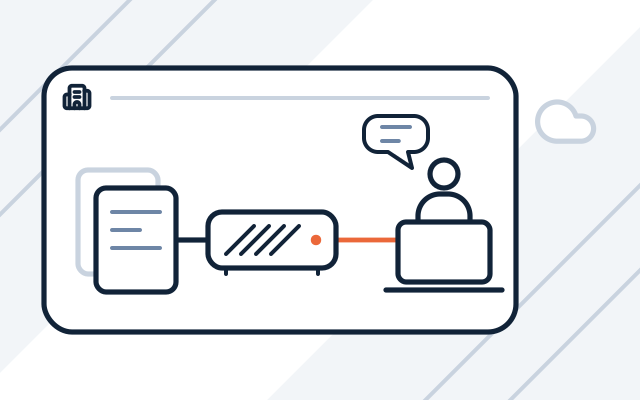
What local AI does for your company
-

Your data stays in the company
Contracts, client data and correspondence do not go to public AI chatbots or to an AI provider. This matters for professional secrecy and for confidentiality agreements with clients.
-

Costs do not grow with every user
An AI assistant subscription is paid every month for each person. You buy a workstation or server once, and the whole team uses it.
-

You are in control of the model
The model runs on your hardware, offline too. You decide which version to use and when to change it, so processes that work today will not change without your knowledge.
-

AI that fits your systems
We connect the model to your ERP, CRM, document management and helpdesk systems, and build automations around your company's processes.
What you can run on local AI
A language model on your network reads documents, sorts email and tickets, works with your company’s systems and turns recordings into text. Today we deploy an assistant at client sites that answers questions about company documents. Automations and system integrations start with a pilot of one process, and we test other uses on your data in a separate project. In the free trial you choose one of four scenarios to start with: the document assistant, reading documents from outside KSeF, Poland’s National e-Invoicing System, automation of one process in preview mode, or meeting transcription with notes.
AI process automation
The model handles the repetitive steps of processes in which someone has to read a document, a message or a ticket. We build the workflows in n8n, installed on the company’s server. Actions that save or send something are approved by an employee. We describe the pilot and example processes on our process automation with local AI page.
- Document flow: the model reads orders, goods issue notes (WZ), CMR consignment notes and invoices from outside KSeF and prepares the data for the ERP system.
- Email: messages in a shared mailbox get a category (order, complaint, invoice), go to the right department and come with a draft reply.
- Tickets for the IT department or customer service get a category and a priority, and the model suggests a solution from the knowledge base.
- AI agents carry out multi-step tasks, for example gathering data from several sources and preparing a summary. They only have the permissions they need, and a person approves changes in systems.
- Reports and summaries: a weekly overview of tickets or a summary of the correspondence on one case.
Applications and integration with company systems
The assistant and automations are most useful when they draw on data in ERP, CRM, document management and helpdesk systems. The model server on your network provides an OpenAI-compatible API, so your company’s own applications can use it too. How we connect the model to ERP, CRM and SharePoint is shown on our local AI integration with business systems page.
- The assistant retrieves data from the ERP or CRM system, such as an order status, at the moment a question is asked.
- Documents from SharePoint and the document management system reach the assistant together with their permissions: staff only get answers from documents they are allowed to read.
- We save automation results in the system after an employee approves them.
Custom applications and integrations are built by Conetso Software, which describes this work on its AI integration for business applications page. Conetso Software is the software development team of Conetso Group, based in Lublin, Poland, so you order the hardware, the model and the application from one company.
Assistant for company documents
The assistant knows the documents your company chooses and answers questions asked in everyday language. This is the use we deploy at client sites today.
- The quality department of a manufacturing plant asks about workstation instructions and the complaints procedure.
- Staff ask the HR department’s assistant about work rules, leave and benefits. The assistant provides information but does not assess employees or candidates: the AI Act classifies such systems as high-risk.
- A law firm prepares summaries of case files and draft letters based on its own templates.
- An office translates instructions and internal correspondence without sending them to online services.
Reading documents and invoices from outside KSeF
The model reads scans and PDF files, extracts the data and organises it. An employee approves the result before the data goes any further.
- Reading documents from outside KSeF: foreign invoices, goods issue notes (WZ), CMR consignment notes and customer orders.
- Comparing versions of a contract and flagging passages to check against the company’s checklist.
- Anonymisation, meaning the removal of personal data from documents before they are passed on for analysis. No tool does this flawlessly, so a person checks the result.
Meeting transcription and voice notes
Speech recognition models turn recordings into text in Polish, and a language model prepares a note from it. Examples and how we handle recordings are covered on our meeting and call transcription page.
- A board meeting becomes a transcript divided by speaker and a note with decisions and tasks.
- Recorded helpline calls get a summary of the case, and the company sees the most common reasons for complaints.
- A lawyer or inspector dictates a note, and the text goes into the document.
- A voicebot answers the call, introduces itself as an AI assistant, works out what the call is about and transfers the caller to an agent. This needs a GPU server and a pilot, because Polish speech synthesis in open models currently sounds weaker than in cloud services.
Code assistant and alert analysis
- A code assistant suggests and reviews code, and the repository does not leave the company network. Local models for code lag behind the best cloud models, so we test how useful they are on your repository.
- The model summarises security alerts and groups them into an incident description. Relipoint, a Conetso Group brand, runs such deployments on the Elastic platform.
- The AI server itself also needs oversight: Relipoint monitors GPU load, response times and errors.
Analysis of photos and production images
- The model reads rating plates, meter readings and photos of documents taken with a phone.
- In production it detects scratches, missing parts and incorrect labels in photos from the line. This is a separate project: the model learns from photos of defects from your line.
- Workplace cameras are subject to the Polish Labour Code, and the AI Act prohibits recognising employees’ emotions, except for medical and safety purposes. We do not deploy such functions.
Security and regulatory compliance
The model, the documents and the answers stay on hardware on your network, and queries do not go to an external AI provider. This makes it easier to meet the requirements of the GDPR, the AI Act, the Polish National Cybersecurity System Act (KSC) and professional secrecy rules, but it does not release you from the obligations they impose. Your company prepares its AI use policy, the data protection impact assessment and staff training. We set up permissions, logs and updates, and describe how the system works and where the data is kept.
- The assistant only uses the documents you choose.
- The model does not learn from staff queries.
- Automations and agents only get the permissions the process needs, and we log their operations.
- Before deployment we check the licence of every model and tool.
- We provide a description of the system for the data protection impact assessment (DPIA).
What the GDPR, the AI Act and the KSC mean for local AI, and how we secure the deployment, is described on our local AI security and compliance page.
Local AI or Copilot in Microsoft 365
The two tools solve different problems and often run side by side in the same company. Copilot helps with email, files and meetings in Microsoft 365. A local model handles documents that the company does not want to pass to the cloud.
| Local AI | Microsoft Copilot | |
|---|---|---|
| Where the model runs | on a workstation or server on your network | in the Microsoft cloud |
| What data it uses | the documents you choose | email, files and meetings in Microsoft 365 that the user can access |
| Cost model | hardware purchase and deployment | a licence for each user |
| Works offline | yes | no |
| Where you use it | on the company network | in Outlook, Teams, Word and Excel |
We describe how we prepare companies for Copilot on our licensing and Microsoft 365 page.
AI workstation or GPU server
An AI workstation built on NVIDIA GB10 with 128 GB of memory is usually enough to start with. It sits on a desk and does not need a server room. We compare the Dell, Lenovo and HP models on our GB10 AI workstations page. When many people will use the assistant at the same time, or you need a larger model, we propose a GPU server for local AI.
Our local AI cost calculator shows the approximate cost of hardware and deployment for the number of people in your company.
Every deployment can start with a free AI workstation trial at your company.
Use cases, trial and hardware
-
Free AI workstation trial
An AI workstation on your network for up to 2 weeks, free of charge and with no obligation to buy. After the trial, a report with the results and a hardware recommendation.
-
AI workstations
Dell Pro Precision with GB10, Lenovo ThinkStation PGX and HP ZGX Nano: 128 GB of memory for the model, delivery, configuration and an assistant for your company documents.
-
GPU servers
Dell, Lenovo and HPE servers with GPUs for companies where many people use an AI assistant at the same time. Selection, installation, deployment and maintenance.
-
Meeting transcription
Recordings of meetings and calls turned into text and a note with tasks, on hardware on your network. You can check the quality in a free trial.
-
Security and compliance
What local AI makes easier under the GDPR, the AI Act, KSC and DORA, what it does not solve on its own and how we secure the deployment: permissions, logs, models, updates.
-
Process automation
Document reading, email, tickets and AI agents on a server on your network, with an employee approving the results. We start with a pilot of one process.
-
System integrations
An AI model on your network connected to ERP, CRM, document management and the helpdesk, with the permissions from those systems. Custom applications from Conetso Software.
What we do
- Conversation about the processes, documents and systems where AI should help, and the number of people who will use it
- Free loan of an AI workstation to test the use you choose on your data, on your network
- Hardware selection: an AI workstation for a team or a GPU server in a rack cabinet
- Installation of the operating system, the model server and open language models
- Deployment of the company document assistant, with automations and system integrations starting from a pilot of one process
- User accounts, permissions and logs, with access limited to the company network
- Staff training, then model and system updates after deployment
Who it is for
- You have documents you do not want to send to public AI services
- Your staff already use AI chatbots, and you want to give them a tool under your own control
- You want to automate the flow of documents, email or tickets without sending them to the cloud
- You run a law firm, an accountancy practice, a manufacturing plant or an institution that holds confidential data
- You want to test a local model on your own data before you buy hardware
How the assistant works with company documents
You choose the documents the assistant should use: procedures, instructions, contract templates and technical documentation. We build an index from them on a server on your network. Staff ask questions in their own words, and the model answers based on those documents. A language model can make mistakes, so important information should be checked against the source document.
- You choose the documents and can change them at any time
- You decide with us who has access to the assistant
- The same model summarises long texts and drafts letters
Which models we run
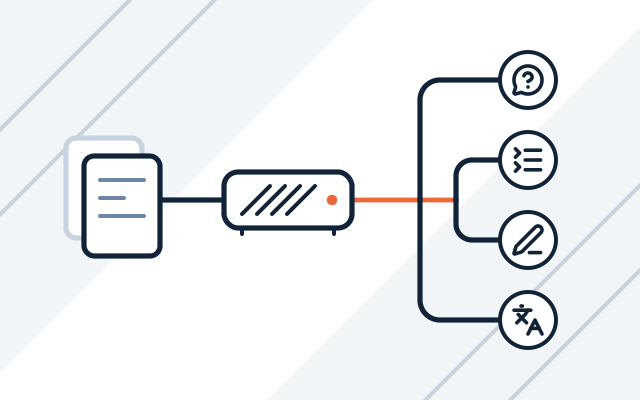
We run open language models, including the Polish models Bielik and PLLuM, as well as Llama and Qwen. Our services are not tied to a single model: we will install any open model that fits in the machine's memory. During the trial we compare several of them on your documents, and you can switch models later without replacing the hardware. Before deployment we check that the model's licence allows business use.
How we work
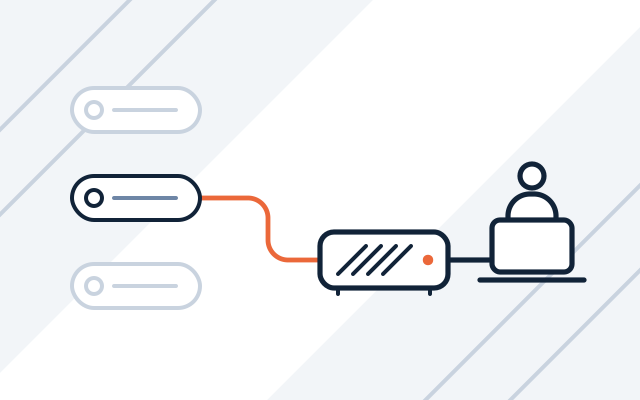
-

Conversation
We ask about your tasks, the type of documents and the number of users, and propose a trial on that basis.
-

Free trial
We install a loaned AI workstation on your network and test models on your documents for up to 2 weeks.
-

Selection and quote
Based on the trial results, we propose a model and hardware and quote for the deployment.
-

Deployment
We deliver the hardware, install the models and the assistant, set up accounts and train your staff.
-

Maintenance
Under the contract, we update the system and models and monitor the hardware.
Pricing
The workstation price is indicative, excludes VAT and applies to the 128 GB configuration. We quote deployment and GPU servers individually, and the trial on a loaned workstation is free. We confirm hardware prices and availability in the quote.
| Service | Billing model | Price | What it depends on |
|---|---|---|---|
| AI workstation built on NVIDIA GB10 with 128 GB of memory | hardware purchase | from 23,900 PLN net / workstation | manufacturer (Dell, Lenovo or HP), storage capacity, warranty period |
| Local AI deployment | individual quote | individual quote | number of users, type and number of documents, selected models, training |
| GPU server with deployment | individual quote | individual quote | number and model of GPUs, memory, power and cooling, rack installation |
Experience and partners
- Our partners include Dell Technologies, Lenovo, HPE and HP. As an authorised partner of the manufacturers, we supply hardware through the official channel, with the manufacturer's warranty and support.
- We test local models at client sites on Dell and Lenovo workstations built on NVIDIA GB10.
- Since 2019 we have maintained servers and networks for companies and institutions. Around 1,600 people work on hardware we are responsible for today.
-
 Dell Technologies Authorized Partner
-
 Lenovo 360 Authorized 2026
-
 HPE Partner
-
 HP Business Partner
NVIDIA and the NVIDIA logo are trademarks and/or registered trademarks of NVIDIA Corporation in the U.S. and other countries.
Frequently asked questions
Does any data leave the company?
No. The model, the documents and the answers stay on the workstation or server on your network. We set up access from outside the office, for example over a VPN, only if you need it.
Will a local model replace Copilot in Microsoft 365?
Usually not. Copilot works in Outlook, Teams and Word with data from Microsoft 365, while a local model handles documents the company does not want to send to the cloud. Many companies use both tools. We deploy Copilot as well.
How does an AI model differ from a chatbot such as ChatGPT or Claude?
A chatbot is an application built around a language model: a chat window, user accounts and the provider's servers. Open models, such as Bielik, Llama or Qwen, can run on a server at your company and connect to your own applications, documents and systems. Staff then use a similar chat window, and their queries do not leave your network.
Which model works best in Polish?
It depends on your documents and tasks. During the trial we compare several models on your material, including the Polish models Bielik and PLLuM, and you choose the one whose answers you rate highest.
How many people can one AI workstation serve?
It depends on the model, the length of the documents and how many people ask questions at the same time. That is why we measure it during the trial at your company. If one workstation is not enough, we propose a second one or a GPU server.
Does local AI work without the internet?
Yes. Once installed, the model answers without an internet connection. You only need the connection to download updates and new models.
How long does deployment take?
It depends on the number of documents, users and connections to other systems. We give you a timeline after the trial, together with the quote.
How much does local AI cost?
An AI workstation built on NVIDIA GB10 with 128 GB of memory costs from PLN 23,900 excl. VAT. We quote deployment and GPU servers individually, and the trial on a loaned workstation is free.
See also
-
Process automation with local AI
Document reading, email, tickets and AI agents on a server on your network, with an employee approving the results. We start with a pilot of one process.
-
Local AI integration with your business systems
An AI model on your network connected to ERP, CRM, document management and the helpdesk, with the permissions from those systems. Custom applications from Conetso Software.
-
Local AI and the GDPR, AI Act and NIS2
What local AI makes easier under the GDPR, the AI Act, KSC and DORA, what it does not solve on its own and how we secure the deployment: permissions, logs, models, updates.
-
Meeting and call transcription without the cloud
Recordings of meetings and calls turned into text and a note with tasks, on hardware on your network. You can check the quality in a free trial.
-
Microsoft licensing audit and Microsoft 365 management
Licence register, renewals, updates, Microsoft 365 administration and Microsoft licensing audits.
-
Servers for businesses
We select, supply and configure servers with virtualisation and backups, and migrate services from old hardware.
-
Server and network administration for businesses
We maintain, update and document servers, virtualisation, networks, firewalls, VPNs and backups.
-
Conetso Software
AI integration in a business application
Conetso Software can build an application with an AI model connected to your systems.
From our blog

Language model vs AI chat: how ChatGPT differs
ChatGPT is an application, and the language model is the engine inside it. We explain the difference and which models a company can run in-house.