
Microsoft licensing audit and Microsoft 365 management
Our Microsoft licensing audit checks whether you have as many licences as you need and whether the plans fit the way your team works. On a monthly plan (a fixed monthly fee covering a set number of hours from our specialists), we keep a licence register, track renewals, roll out updates and administer Microsoft 365.
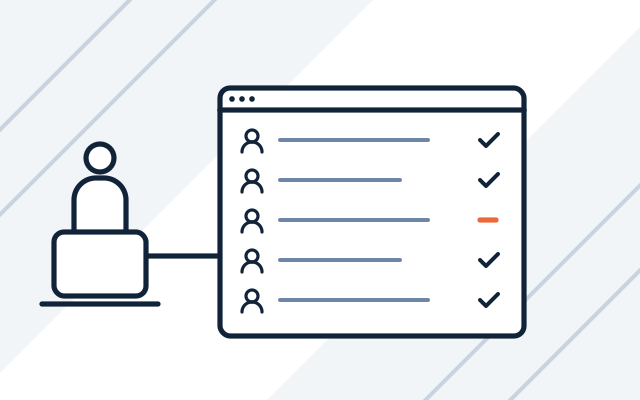
Common licensing problems
-

Paying for accounts of people who have left
An employee left six months ago, but their account still has a licence. We compare licences with the staff list, remove unused ones and repeat the check with every change in the team.
-

The vendor has announced a licence audit
You need to show quickly which licences the company has and where they are installed. We prepare a list of licences and software and point out any gaps before the audit.
-

Subscriptions renew without a review
The team has changed, but licences renew at the same quantity and on the same plan. We keep a renewal calendar and check before each renewal that the number and type of licences still fit.
-

Computers run software with no patches
The vendor has stopped releasing updates, but the program is still in use. We identify unsupported software and plan its update or replacement.
Licence costs grow gradually and often unnoticed. Someone who only uses email in a browser gets the full plan with office apps. The number of licences grows with the team but does not shrink when people leave. Programs that no longer get patches from their vendor are a separate risk: left on computers, they make attacks on the company easier.
Microsoft licensing audit
The audit is a one-off review that shows what you pay for and what you need:
| What we check | What you get |
|---|---|
| Assigned Microsoft 365 licences against active accounts | A list of licences to remove or reassign |
| Plans against how users work | A proposal to switch to better-fitting plans |
| Windows and Windows Server licences on workstations and servers | Gaps identified before an auditor asks about them |
| Renewal dates and commitment periods | A decision calendar before the next renewal |
| Software without vendor support | A list of programs to update or replace |
After the audit, you can tidy up your licences yourself or leave ongoing management to us. If you need new licences or a migration to Microsoft 365, see business software. Securing accounts is covered on our Microsoft 365 security page.
What we do
- Licence register: what you have, who it is assigned to and when it expires
- Renewal reminders and orders prepared before the deadline
- Checks of compliance with vendors' licence terms
- Planning and roll-out of system updates and security patches
- Microsoft 365 administration: accounts, mailboxes, groups, licences and permissions
- Licence assignment and removal as people join and leave
- Microsoft licensing audit with a report and recommendations
- Identification of software that is losing vendor support
Who it is for
- You do not know how many Microsoft 365 licences you have, how many you use and when they renew
- Your company runs programs without updates or without vendor support
- A client, an auditor or an insurer asks whether your software is properly licensed
Microsoft licensing audit before a renewal or a vendor audit
We compare Microsoft 365, Windows and Windows Server licences with the actual users and workstations. We point out licences that are unused or missing, and plans that could be changed to better-fitting ones.
- Licences to remove or reassign
- Gaps found before an auditor asks
- Decisions to make before renewal
Microsoft 365 administered day to day
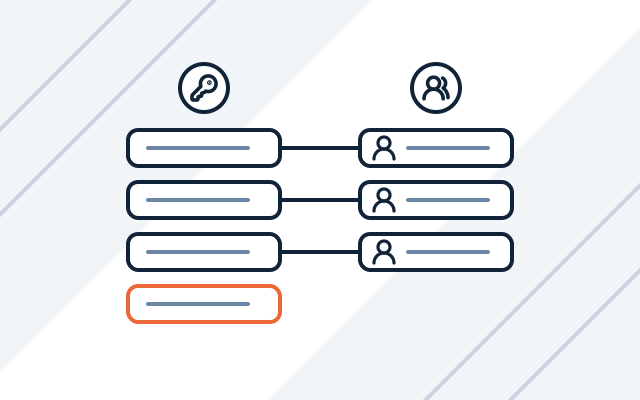
We create accounts and mailboxes, manage groups and permissions, and assign licences. When someone leaves, we remove their licence and their access to company resources.
- Accounts, mailboxes and groups
- Licences as people join and leave
- Permissions for company resources
Updates in agreed maintenance windows
We roll out security patches regularly, at times agreed with you. Larger updates, such as new system versions, are planned separately, and we first check compatibility with the programs your company uses.
- Regular security patches
- Compatibility check before larger updates
- List of programs without vendor support
How we work
-

Licence inventory
We list licences, subscriptions and installed software, and compare them with the list of staff and workstations.
-

Framework agreement
We sign the framework agreement together with a data processing agreement (DPA). You can also order a licensing audit as a separate project.
-

Licence clean-up
We remove licences from unused accounts, point out gaps and software to replace, and set up a renewal calendar.
-

Day-to-day support
Licences are updated with every change in the team, and updates are rolled out on agreed dates.
-

Monthly report
Every month we send you a report on the work done.
Pricing
We quote every project individually, after discussing its scope and requirements.
- Licence and update management
- Price depends on: number of hours in the monthly plan, number of licences and systems, response time (SLA).
- Microsoft licensing audit
- Price depends on: number of users and licences, number of Microsoft 365 tenants, scope (Microsoft 365, Windows, Windows Server).
Experience
- We implement and administer Microsoft 365 in small businesses, clinics and diagnostic centres.
Frequently asked questions
How much does a Microsoft licensing audit cost?
The price is set individually and you get it before work starts. It depends on the number of users and licences, the number of Microsoft 365 tenants and whether the audit also covers Windows and Windows Server.
Can you help when a vendor announces a licence audit?
Yes. We prepare a list of licences and installed software and point out what needs to be added before the audit.
Can we reduce the number of Microsoft 365 licences during the year?
It depends on the subscription's commitment period. Licences with an annual commitment usually cannot be reduced before renewal. That is why we check how many licences you need before each renewal date.
Do you also manage licences from vendors other than Microsoft?
Yes. We keep records and track renewals for antivirus software, backup software and network device subscriptions, for example.
See also
-
Business software: Microsoft 365 implementation and licences
Microsoft 365 licences and implementation, backups, virtualisation, antivirus, and ERP and CAD software.
-
Microsoft 365 security for businesses
We review and secure Microsoft 365. We enable MFA and Conditional Access, protect email and deploy Intune and Defender.
-
IT infrastructure and systems audit for businesses
A review of servers, networks, backups, accounts and licences, ending with a report that ranks actions by urgency.
From our blog

Managed IT services cost in Poland: our contract prices
Our managed IT services start at PLN 1,400 per month excl. VAT. See what drives the price, what the monthly plan excludes and how we quote an audit.