
Microsoft 365 security for businesses
We configure Microsoft 365 security for businesses: multi-factor authentication (MFA), Conditional Access, protection of email against phishing and control over file sharing. We start with a review of your tenant and make changes without interrupting your team's work.
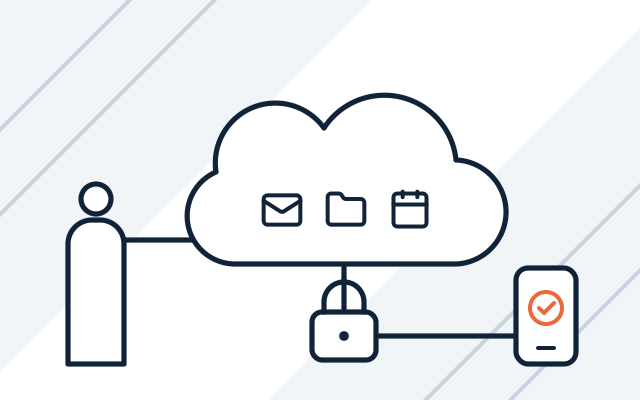
Problems we see in Microsoft 365
-

A hijacked mailbox sent fake invoices
The attacker signed in with just a password and wrote to clients from an employee's account. MFA for every account and a block on legacy sign-in methods stop this.
-

Worried MFA will lock out the scanner and other programs
Devices and programs that send email over legacy protocols stop working after the change. We switch them over before MFA is enabled and roll the changes out in stages.
-

Files leave the company unchecked
Links to OneDrive and SharePoint documents reached people who should not have them. Clear rules for external sharing and tidied-up permissions fix this.
-

Company email on personal phones
Staff read email and files on their own devices. Microsoft Intune protects company data on phones and laptops.
Microsoft 365 holds a company’s email, files, calendars and meetings, which makes it a frequent target. A hijacked mailbox lets an attacker send fake invoices to clients, read correspondence and download files. A few well-configured safeguards prevent most of these attacks, and many of them are already included in your licences but have never been switched on.
We also back up Microsoft 365. If your company has suitable infrastructure, we propose Veeam (we are a Veeam partner). Backups, migration and new deployments are described on the business software page, and licences and account administration on the licensing and Microsoft 365 page.
What we do
- Review of the security configuration of your Microsoft 365 tenant
- Multi-factor authentication (MFA) for all accounts
- Blocking of legacy sign-in methods and Conditional Access policies
- Email protection against phishing, spoofing and malicious attachments
- Clean-up of administrator accounts and emergency access accounts
- External sharing rules for OneDrive, SharePoint and Teams
- Management of computers and phones with Microsoft Intune
- Microsoft Defender on devices
- Backups of Microsoft 365 data
Who it is for
- Staff sign in to email with just a password
- You have used Microsoft 365 for years, but the security settings have never been reviewed
- Several people share one account, such as office@
- You have Business Premium licences but do not use Conditional Access, Intune or Defender
- Former employees or a previous IT company still have administrator rights
MFA without downtime
First we create emergency access accounts and check which devices and programs sign in with legacy protocols. Then we let staff know in advance and sort out shared accounts. MFA is switched on in stages, starting with administrators and a test group.
- Emergency access accounts before the change
- Scanners and email-sending programs switched over
- Rollout in stages, starting with administrators

Conditional Access and device management
Conditional Access sets who can sign in to Microsoft 365, from where and from which device. Every policy first runs in report-only mode, so we can see whom it would block. Combined with Intune, it lets only devices that meet the rules access company data.
- Policies tested in report-only mode
- Intune-managed device required
- Microsoft Defender on computers

Email protection and file sharing rules
We set up email protection against phishing, spoofing and malicious attachments. We limit file sharing outside the company and tidy up administrator accounts.
- Protection against phishing and spoofing
- Sharing rules for OneDrive, SharePoint and Teams
- Cleaned-up administrator accounts
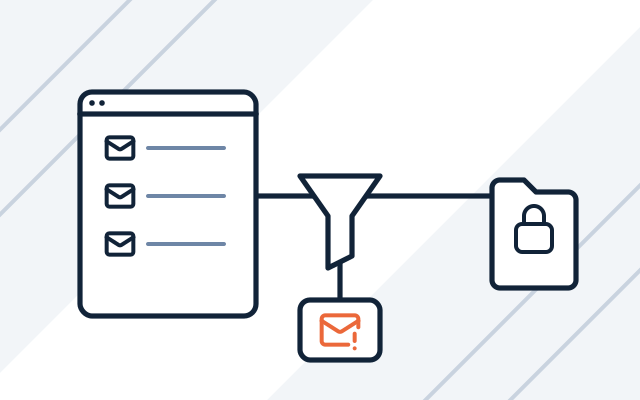
How we work
-

Tenant review
We check accounts, licences, sign-in methods and the email and sharing settings in your tenant. We point out the biggest gaps.
-

Design and quote
We agree the scope, order and timing of the changes, so that nobody loses access to email during the working day.
-

Deployment
We enable MFA, access policies and email protection, and help staff set up the authenticator app.
-

Handover and documentation
We hand over a description of the configuration, covering sign-in rules, email protection and file sharing.
-

Support after deployment
As part of our managed IT services, we respond to alerts and review the settings after changes made by Microsoft.
Pricing
We quote every project individually, after discussing its scope and requirements.
- Microsoft 365 security configuration
- Price depends on: number of users, MFA and Conditional Access, Intune / Defender, current tenant configuration.
- Maintenance and oversight
- Price depends on: number of hours in the monthly plan, response time (SLA), 24/7 on-call cover.
Experience
- We deploy Microsoft 365 in companies, clinics and hospitals, and configure security in every deployment and migration.
Frequently asked questions
Where should we start with Microsoft 365 security?
With multi-factor authentication for all accounts and a block on the legacy sign-in methods that bypass MFA. According to Microsoft, these two changes stop more than 99.9% of common attacks on accounts. Then we tidy up administrator accounts, email protection and file sharing.
Does Conditional Access require more expensive licences?
Yes. Conditional Access requires a Microsoft Entra ID P1 licence, which is included in plans such as Microsoft 365 Business Premium. Without it, you can enable security defaults, which enforce MFA but do not allow exceptions or a staged rollout. After the review, we tell you whether changing licences pays off.
Will staff lose access to email during the changes?
They should not. We plan the changes in stages, let staff know in advance and help them set up the authenticator app. We also keep an emergency access account in case of problems.
What should we do with a shared account such as office@?
Convert it into a shared mailbox. Each employee then opens it from their own account, with their own MFA. A shared mailbox does not need a separate licence, and direct sign-in to it should be blocked.
Doesn't Microsoft secure this by itself?
Only partly. Microsoft enforces MFA for sign-in to the admin portals, but the configuration of staff accounts, permissions and sharing is the company's responsibility. Many safeguards have to be switched on deliberately and adjusted to your company.
How much does Microsoft 365 security cost?
We quote individually. The price depends on the number of users, the licences you have, whether we deploy Intune and Defender, and the state of your current configuration.
See also
-
Microsoft licensing audit and Microsoft 365 management
Licence register, renewals, updates, Microsoft 365 administration and Microsoft licensing audits.
-
Business software: Microsoft 365 implementation and licences
Microsoft 365 licences and implementation, backups, virtualisation, antivirus, and ERP and CAD software.
-
CrowdStrike Falcon for businesses
Cloud-based protection for computers and servers that detects attacks and lets you respond. We choose the package and deploy it in your company.
From our blog

Bitdefender vs CrowdStrike: protecting computers and servers
Bitdefender vs CrowdStrike: we compare GravityZone and Falcon. We explain when endpoint protection is enough and when a business needs EDR, XDR or MDR.