
Servers for businesses
We select servers for businesses, configure them with virtualisation and backups, and migrate services from your old hardware. For tighter budgets, we also offer manufacturer-certified refurbished servers.
Typical situations before a server replacement
-

Windows Server 2016 is losing support
Microsoft stops releasing security updates for it on 12 January 2027. We plan moving your services to a newer system and, if needed, to new hardware.
-

Disks report errors and the warranty has expired
The server warns of a failure, but the messages go to a log nobody reads. We assess the server and tell you whether replacement is urgent.
-

One server does everything
The domain, files, accounting software and backups all run on one machine. When it is replaced, services go into separate virtual machines and backups move off the server.
-

Software slows down at month-end close
The server cannot keep up as more people and programs use it. We check its load and choose a configuration with headroom for several years.
A server is usually the most important device in a company: it runs the accounting software, the production system, files and backups. That is why we run its replacement as a project, with analysis, a migration plan and testing.
You can also keep data on a separate storage array, and our business software page explains how we deploy backups and virtualisation.
A server built for virtualisation
A new server usually runs several virtual machines, so we match the processor, memory and disks to their number and workload. Most often we configure it with Proxmox Virtual Environment, and our Proxmox deployment page describes how that works. We also work with VMware and Hyper-V.
What we do
- Analysis of the workload and the services the server will run
- Configuration: processors, memory, disks and redundant power supplies
- New servers or manufacturer-certified refurbished servers
- Operating system and virtualisation, mainly Proxmox Virtual Environment
- Migration of services and data from the old server
- Backups, including Veeam backups, with restore tests
- Installation in a rack cabinet with an uninterruptible power supply (UPS)
- Server and server cabinet inspections and maintenance
- Warranty claims to the manufacturer on your behalf when a server under warranty fails
Who it is for
- The operating system on your server is losing vendor support
- Your company is growing and the server cannot keep up with new software and users
- You want to replace several old servers with one virtualised server
- Your budget is limited and you are considering a manufacturer-certified refurbished server
Virtualisation instead of several old servers
Each service runs in its own virtual machine, even on a single server. A problem with one service then does not block the others, and the next hardware replacement is simpler.
- A separate virtual machine for each service
- Several old servers on one machine
- Simpler replacement next time
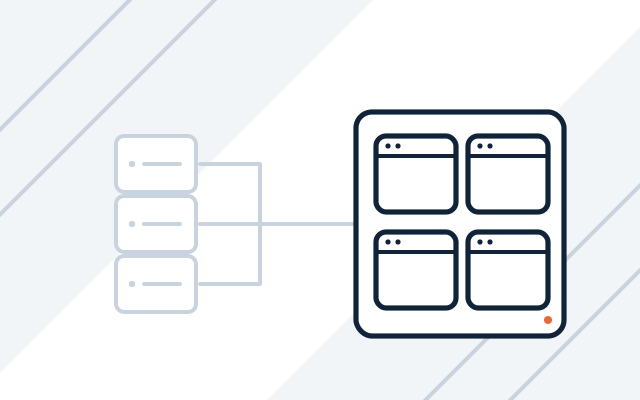
Migration planned outside business hours
We list the roles, network shares, databases and scheduled tasks on the old server. Services move one by one on a date agreed with you, and the old server is switched off only when everything works on the new one.
- Inventory of services and dependencies
- Full backup of the old server before migration
- Tests before the old hardware is switched off
Server inspections and maintenance
We also inspect and maintain servers and server cabinets as a separate service. We check the hardware, disks, power and cooling as well as updates, and assess whether the server needs replacing.
- Condition of disks and power supplies
- Cooling and backup power
- Operating system and firmware updates
How we work
-

Server review
We check which services run on your current server, how many resources they use and how your company is likely to grow.
-

Design and quote
We propose a configuration, a new or manufacturer-certified refurbished option and a migration plan. The budget is agreed before the hardware is ordered.
-

Deployment
We install the operating system, virtualisation and backups, test the server and migrate the services.
-

Acceptance and documentation
We check with you that everything works and hand over the configuration documentation.
-

Support after deployment
We can continue to administer and monitor the server as part of our managed IT services.
Pricing
Hardware is priced at the manufacturers' current prices.
- Server selection and configuration
- Price depends on: virtualisation, migration of services from the old server, backups.
- Server inspection and maintenance
- Price depends on: number of servers, scope of inspection, server cabinet maintenance.
Experience and partners
- We are a partner of manufacturers including Dell Technologies, Lenovo and HPE, and an IBM Silver Business Partner.
-
 Dell Technologies Authorized Partner
-
 Lenovo 360 Authorized 2026
-
Frequently asked questions
When should a server be replaced?
Age alone does not decide it. The signs are disk errors, no vendor support for the hardware or operating system, no warranty parts, and a server that cannot keep up with the work. During an inspection, we assess the server and tell you whether replacement is urgent.
What should we do with a server running Windows Server 2016?
Plan the migration. Paid Extended Security Updates (ESU) give you time to prepare it, but they do not replace it. If line-of-business software runs on the server, we first check with its vendor which versions of Windows Server it supports.
Will replacing the server stop our work?
It should not. We plan the migration to keep the interruption as short as possible, usually outside business hours. Beforehand, we make a full backup of the old server.
Will you move our line-of-business software to the new server?
Yes. We move accounting, ERP or production software together with its vendor where the licence or vendor support requires it.
On-premises server or cloud?
It depends on the software you use, your internet connection and costs. Some services, such as email and files, are often better moved to Microsoft 365, while line-of-business software stays on a local server. The new server then has fewer tasks and can cost less than the old one.
See also
-
Storage arrays and NAS servers for businesses
NAS servers and storage arrays for virtualisation, with capacity and replication planned and data migrated.
-
Grant-funded IT projects
Delivery, configuration and as-built documentation in IT projects financed from EU and national funds.
-
Server and network administration for businesses
We maintain, update and document servers, virtualisation, networks, firewalls, VPNs and backups.
-
Business software: Microsoft 365 implementation and licences
Microsoft 365 licences and implementation, backups, virtualisation, antivirus, and ERP and CAD software.