
Virtual machines in Oracle Cloud Infrastructure
We set up Linux and Windows Server virtual machines in Oracle Cloud Infrastructure (the OCI Compute service) and move the servers from your server room onto them. You choose processors and memory separately and pay for the time the server is running.


You can check the monthly cost of a server with your choice of processors, memory and disk in the OCI server cost calculator. It also includes the Windows Server licence.
What we do
- Choice of machine shape, number of processors (OCPUs) and memory to suit the workload
- Configuration of Linux (including Oracle Linux) and Windows Server machines
- Block storage (Block Volume) and server backups
- Virtual network, access rules and a VPN connection to your office
- Migration of servers from your server room to OCI
- Management after go-live: updates, monitoring and server schedules
Who it is for
- A server in your server room is reaching the end of support or running out of capacity
- You want to pay for a server only while it is running, for example during office hours
- You need a test or standby server without buying hardware
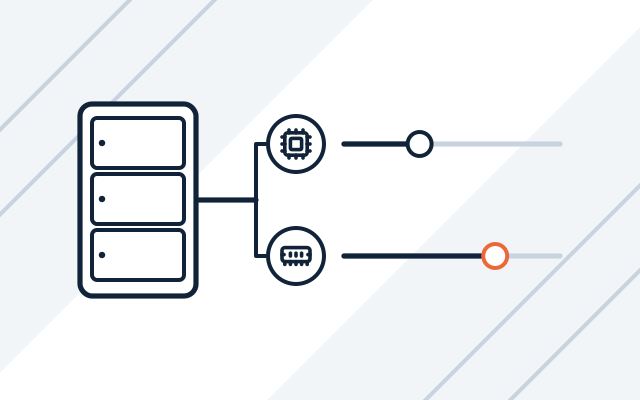
Processors and memory chosen separately
You pick the processor type first, then the number of processors (OCPUs) and the memory, in steps of one processor and 1 GB. A server on AMD processors can have up to 126 OCPUs and 1,454 GB of memory. Arm Ampere processors cost less, but they only run software built for that architecture, which in practice means Linux and Linux applications. You can resize the server later without changing any hardware.
Billing for the time the server runs
Oracle bills processors and memory for the time the server is running, with one minute as the shortest billable period. A stopped server costs only as much as its disks. A test server, or one used during office hours, can therefore be switched off at night and at weekends. The Windows Server licence is added for every hour of running time, and prices are the same in every region.

Free servers with Always Free
Under Always Free, Oracle provides two small AMD servers (1/8 OCPU and 1 GB of memory) at no cost, plus a monthly allowance for Arm Ampere servers that covers 2 OCPUs and 12 GB of memory running around the clock. That is enough for a test server or a small service. They are not suitable for production systems, because Oracle may stop idle Always Free servers.
Pricing
Oracle bills for servers according to its price list (pay as you go or Universal Credits). You can work out the cost in our Oracle Cloud calculator. We quote for migration and management individually.
- Server migration to OCI
- Price depends on: number of servers, operating system, data volume, connection to your office.
- OCI virtual machines
- Price depends on: number of OCPUs, memory, AMD or Arm processor, Windows Server, disks.
Experience and partners
- We are an Oracle PartnerNetwork member.
- We administer Windows and Linux servers for our clients.
- Oracle PartnerNetwork Member
Oracle, Java, MySQL, and NetSuite are registered trademarks of Oracle and/or its affiliates. Other names may be trademarks of their respective owners.
Frequently asked questions
Can I switch an OCI server off outside office hours?
Yes. We set up the start and stop schedule during deployment. A stopped server costs only as much as its disks.
Does Windows Server run in OCI?
Yes, on AMD and Intel processors. Windows does not run on Arm processors. Oracle adds the licence for every OCPU and every hour the server runs.
What is the difference between AMD and Arm processors in OCI?
Arm Ampere costs less per OCPU, but it needs software built for the Arm architecture. Most Linux distributions support it; Windows applications do not. We check what has to run on the server before choosing.
See also
-
Oracle Database in the cloud (Base Database Service)
Oracle Database on OCI virtual machines: Standard or Enterprise Edition, licence included or your own (BYOL).
-
Object Storage in Oracle Cloud Infrastructure
Files, archives and backups in Oracle's cloud, in the Standard, Infrequent Access and Archive tiers.
-
Server and network administration for businesses
We maintain, update and document servers, virtualisation, networks, firewalls, VPNs and backups.