
Business network design and installation
We design and build business networks from scratch, in offices, plants and branches. We start with a site survey and finish with as-built documentation. Once the work is done, we can maintain the network as part of our managed IT services.
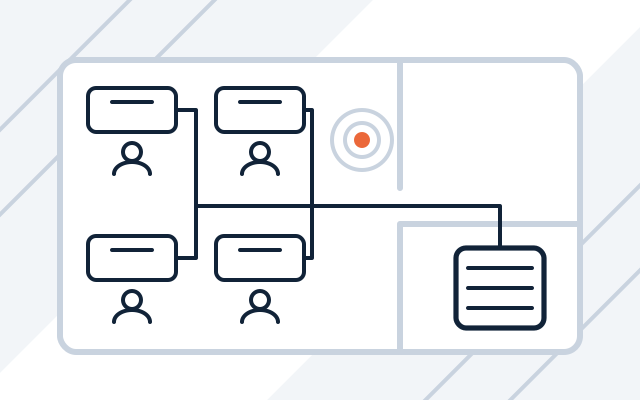
Signs your network needs work
-

Wi-Fi does not reach every room
One router from the internet provider has to cover a whole floor, and the connection drops in the meeting room. Access points are placed according to walls and the number of users.
-

Nobody knows what is what in the network cabinet
Unlabelled cables and devices added over the years make every fault harder to fix. We tidy up the cabinet and label every socket and patch panel port.
-

Moving to a new office
Adding a socket in a finished office means chasing walls, surface trunking or cables on the floor. Network points are planned with spare capacity before the furniture arrives.
-

Cameras and printers share a network with computers
Devices with weaker security sit next to computers holding company data. Splitting the network into segments, with a firewall at the boundaries, keeps them apart.
During the site survey we agree the number of sockets, the cabinet location, cable routes and access point placement. These decisions determine whether you will have to chase the walls again in two years.
What we build
| Element | What we do |
|---|---|
| Cabling | Route design, sockets, patch panels, a label on every point |
| Rack cabinet | Sizing with spare capacity, installation, tidy patching, UPS power |
| Switches | Number of ports and PoE budget, network segment configuration |
| Wi-Fi | Access point placement, separate guest network, central management |
| Firewall | Internet access, VPN remote access and traffic rules, for example on Fortinet FortiGate or Cisco devices |
Once the network is built, we can continue to look after it as part of server and network administration.
What we do
- Site survey and network design: number and placement of points, cable routes, cabinet location
- Structured cabling: sockets, patch panels, cable routes
- Installation and tidying of rack cabinets, with an uninterruptible power supply (UPS)
- Switch selection and configuration, including Power over Ethernet (PoE) for cameras, phones and access points
- Wi-Fi design and deployment with separate networks for staff and guests
- Firewall, network segmentation (VLANs) and remote access
- Expansion and tidying of existing networks
- As-built documentation: network diagram, socket labelling and configuration
Who it is for
- You are moving to a new office or opening a branch
- Your network has grown for years without a plan and is starting to slow work down
- You are adding rooms or a production hall and need new network points
Cabling and rack planned with spare capacity
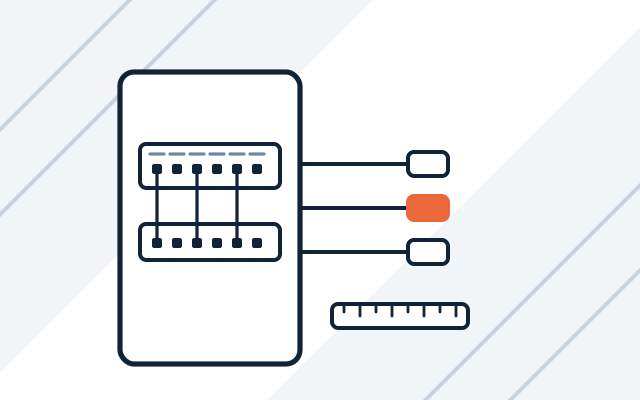
We count points for desks, printers, phones, cameras and access points, then add spare capacity. The cabinet goes where no cable run will exceed 100 m. Every socket and patch panel port is labelled to one scheme.
- Design of cable routes and points
- Rack cabinet with room to expand
- Cable runs under 100 m
Wi-Fi designed around walls and headcount
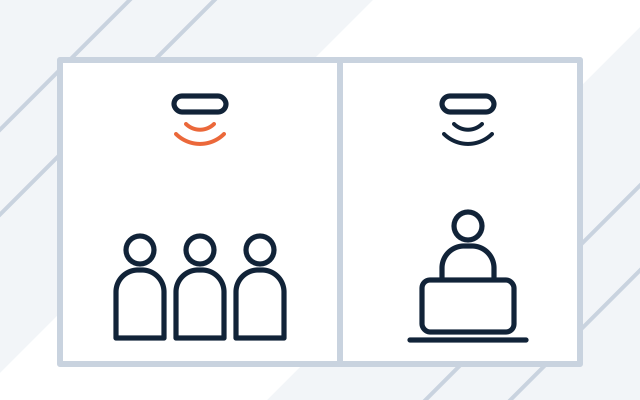
Concrete and glass weaken the signal more than plasterboard, and a meeting room needs more access points than its floor area suggests. Access points usually go on the ceiling and are powered over PoE. All of them are managed centrally.
- Separate guest network
- Central management of access points
- PoE power from the switch
Separate segments for the business, guests and devices
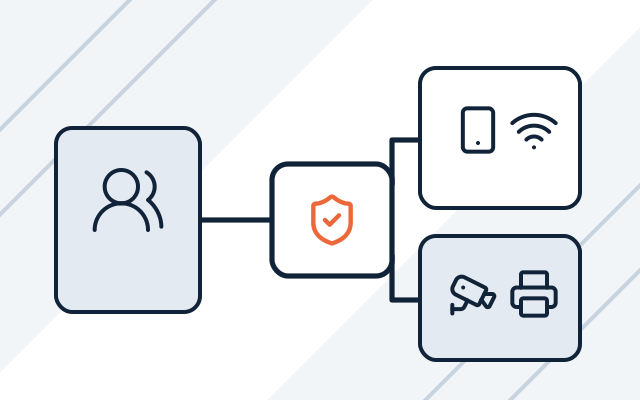
Printers, cameras and meeting room TVs often have weaker security than computers. We split the network into segments and decide what can communicate with what. A firewall guards the boundaries between segments and the internet connection.
- Virtual LANs (VLANs) for groups of devices
- Firewall and VPN remote access
- Rules for traffic between segments
How we work
-

Site survey
We visit the building to check cable routes, the cabinet location, power and the internet connection, and ask which devices will use the network.
-

Design and quote
We prepare a network design and a quote broken down into cabling, hardware and configuration.
-

Installation
We lay the cabling, mount the cabinet and devices, and configure the switches, Wi-Fi and firewall. The work is planned to disrupt your business as little as possible.
-

Acceptance and documentation
We test every point and hand over the network diagram, socket labelling and device configuration.
-

Support after installation
If you wish, we maintain the network as part of server and network administration or bill the work by the hour.
Pricing
We quote every project individually, after discussing its scope and requirements.
- Network design and installation
- Price depends on: number of points, building conditions, Wi-Fi and PoE, site survey.
- Network hardware
- Price depends on: number of ports and PoE, Wi-Fi standard, manufacturer, management licences.
Experience and partners
- We design, build and configure the whole network, including structured cabling and the firewall, with our own team.
- We are a partner of manufacturers including Cisco, Extreme Networks, Fortinet, TP-Link and APC.
-
 Cisco Partner
-
 Extreme Networks Authorized Partner
-
 Fortinet Authorized Reseller
-

-

Cisco and the Cisco logo are trademarks or registered trademarks of Cisco Systems, Inc. and/or its affiliates in the United States and certain other countries.
Frequently asked questions
How much does an office network cost?
We set the price after a site survey. It depends on the number of points, the building (cable routes, distances, types of walls and ceilings), the Wi-Fi and PoE you need and the hardware you choose.
When is the best time to plan a network?
Before a refurbishment or a move. Cables can then run inside walls and ceilings before the furniture arrives, which makes the work simpler and cheaper than in an office that is already in use.
Can you tidy up our existing network instead of building a new one?
Yes. Often it is enough to tidy the cabinet, label the connections, replace a few devices and fix the configuration. After a review, we tell you what to keep and what to replace.
How do you make sure Wi-Fi covers the whole building?
We plan access point placement from the site survey and the building plan, taking into account walls, floors and the number of devices in one room, for example a meeting room. Staff and guests get separate networks.
How many PoE devices can one switch power?
That depends on its power budget, which is the total power the switch can deliver across all ports at once. A switch with 24 PoE ports cannot always power 24 high-draw access points at the same time. That is why we list the PoE devices and their power draw before choosing a model.
What will I receive when the work is finished?
A tested network and as-built documentation: network diagram, socket labelling and device configuration. The documentation belongs to you and makes any later change easier.
See also
-
Servers for businesses
We select, supply and configure servers with virtualisation and backups, and migrate services from old hardware.
-
Grant-funded IT projects
Delivery, configuration and as-built documentation in IT projects financed from EU and national funds.
-
Fortinet FortiGate firewall deployment
We select, deploy and maintain FortiGate with VPN and network segmentation, and move rules over from your old firewall.
-
Cisco network devices for businesses
We design, supply, configure and maintain Cisco switches, routers, firewalls and Wi-Fi.
-
Server and network administration for businesses
We maintain, update and document servers, virtualisation, networks, firewalls, VPNs and backups.
-
Conetso Healthcare
Healthcare network infrastructure
Networks in clinics, diagnostic centres and hospitals.